How it works
One asset record connects public screening, owner evidence, specialist modules, frozen outputs and the next action.
Start with a real site — no account required
Enter coordinates, an address or a Google Maps link, or ask PV8 for a real plant in a selected country. The first screen reads public signals and ranks the routes worth examining.
- Screen one site before registration
- See ranked opportunity routes
- Carry the screen into a private workspace
- No payment card required
What happens before registration?
The free site screen turns a location into an initial, evidence-labelled view of nearby infrastructure, site context and the opportunities that may deserve attention. If you do not have a site ready, choose a country and PV8 selects a real plant there. Public signals are screening evidence, never owner facts or connection rights.
What happens when I choose to continue?
Confirm your work e-mail and PV8 opens an isolated seven-day workspace with the site screen already attached. You can create the asset from a recoverable draft and continue without retyping the location or the promising routes.
What is included in the trial?
The trial includes one completed owner asset and the Basic plan’s available module exports, including PDF, RFP, DXF and SLD outputs where the module and evidence support them. Deterministic module runs are not metered.
What is PV8 Concierge, and is it included?
PV8 Concierge is the optional AI-assist layer across your assets. Its agents read your documents and PV8's deterministic screens and propose — with a citation for every value: extracting evidence for an asset, prioritising which opportunities to assess, drafting evidence requests and counterparty briefs, preparing tender documents and committee papers, and monitoring your portfolio for changes that matter. Every agent proposes; you confirm. PV8's deterministic engines do all calculation, and nothing is recorded, sent or committed until you approve it. It is the optional AI-assist layer, not part of a module subscription.
Does PV8 use my evidence in benchmarks?
No. Owner data, accepted assumptions, reviewer comments and expert evidence remain inside the owner’s workspace and are not pooled into cross-customer aggregate benchmarks.
How long do shared links and expert access last?
Both default to seven days. The asset owner can choose another duration while creating the link or invitation and can revoke expert access earlier.
Does a recipient need a PV8 account to open a shared report or run?
No. Anyone holding an active owner-approved link can view the frozen report or the completed collaborative run and download the deliverables inside that link without registering. A recipient verifies control of a work e-mail through a one-time link before changing assumptions, recalculating or commenting. That verification is scoped to the single shared record and does not create an account.
A PV8 account is required only when the recipient chooses to retain the work in a workspace, expand it into other modules or originate a new asset. The shared link never exposes the owner’s Asset Profile, saved outputs, evidence inbox or other modules.
Build one evidence-backed asset, progressively
Start with the location, one known fact or any source file. PV8 extracts supported fields, keeps originals in Asset Profile, autosaves the draft and only asks for what is still missing.
- KML/KMZ boundary — site area, map centring
- Land-plot KMLs — named parcels for the Land module
- DXF/DWG layout — table-level PV geometry, free-land envelope
- PVsyst report — capacities, module/inverter identity, P50/P90
- Meter/SCADA CSV — hourly truth for every time-resolved screen
- EL/I-V grading — measured disposition split for recycling
- Data-room ZIP — the digital twin: SLDs, schedules, topology
What is PV8 designed to answer?
Early-stage questions about alternative or additional uses of an existing PV plant: what may fit, what existing PV is affected, what energy or material flows result, what the indicative economics look like, and what evidence is still missing.
It is a screening and decision-support platform. It does not replace detailed design, OEM confirmation, surveys, permits, legal due diligence, grid studies or binding commercial quotations.
Can I start with incomplete evidence?
Yes. Name the asset and add any real location, operating fact or source file. The draft remains recoverable and does not enter the portfolio until you review and save it. Unknowns remain visible; they do not silently become zero.
How should I create an asset?
Start with files. Upload whichever evidence exists — KML/KMZ boundaries and land plots, DXF/DWG layout, PVsyst report, SLD, SCADA/meter data and engineering data-room files. PV8 extracts supported fields, retains the source files in Asset Profile, and then asks for missing information manually.
One power plant may cover several land parcels. Upload one KML or KMZ per plot and give each plot a client-friendly name in Asset Profile.
What does the digital twin add?
Dropping the engineering data room (SLDs, stringing plans, cable and equipment schedules, GIS files, whole ZIPs) builds a connected electrical and spatial model of the plant: tables, strings, inverters, transformers, the substation. Modules then answer with plant-specific granularity — which strings a placement cuts, what the transformer can actually carry, where the point of connection really is — instead of area-level averages.
The twin reports its own completeness and flags conflicting evidence for review; it never invents topology that the documents don't support.
Why upload meter data even for spatial questions?
The hourly series is the single highest-value upload. It replaces annual averages in time-resolved hydrogen utilisation, direct-wire load match, grid-connection utilisation and curtailment screens — and a quality-screened full year replaces the asset's annual energy figure. Without it, those screens run on stated annual figures and say so.
Choose the decision route; run now or refine first
Each specialist module reads the same asset record. Run immediately with labelled screening defaults or refine only the inputs that materially affect the decision.
- Modular data centre co-location
- Recycling funding & residual liability
- Land sale & leasing
- Direct-wire energy supply
- PV-powered hydrogen
- Agrivoltaic land use
- Wind–PV hybridization
- EV charging hub
- Irrigation & water infrastructure
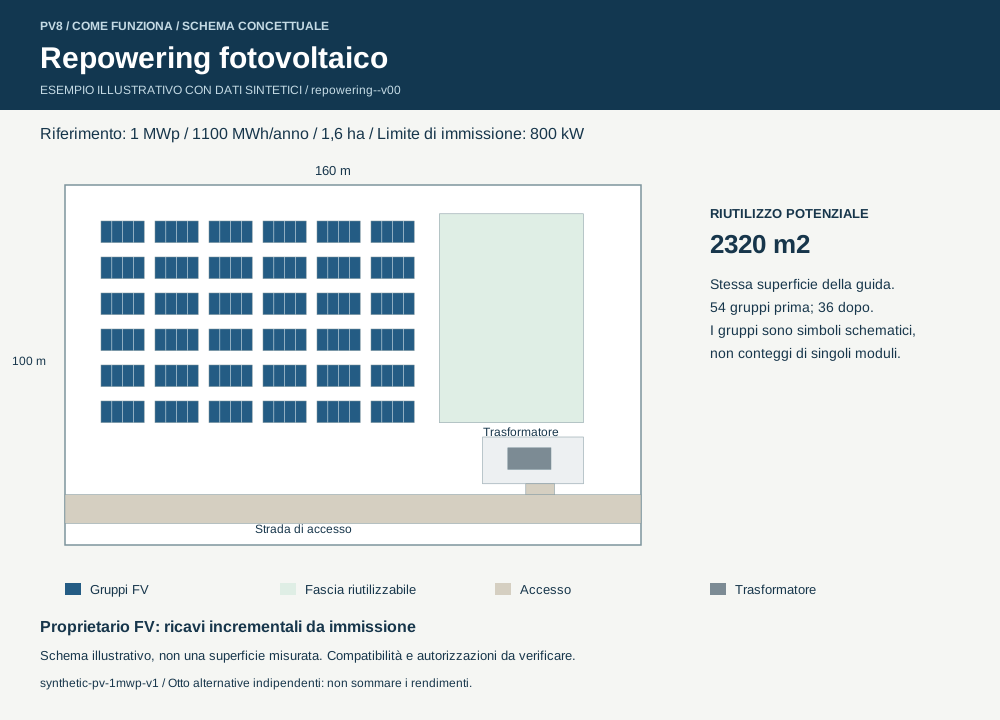
- Repowering & battery storage
- Grid value & connection strategy
- Cryptomining co-location
What does the guided assessment do?
The journey presents one compact decision step at a time, saves progress, and ends with Review and submit. Depending on the module those steps cover the objective, technical envelope, evidence, economics and delivery constraints. A screening shortcut uses the visible defaults immediately.
What happens while modelling runs?
PV8 shows live elapsed time, the current calculation stage and an estimated duration. Inputs remain saved if you leave the page. The published result appears only when the calculation settles, and reruns never overwrite a frozen output or share link.
Why “deterministic” — and why does it matter?
The same inputs always produce the same outputs, from engineering and financial logic you can inspect in the assumptions list. No ranking is influenced by commission or by a model's mood. When PV8 uses an external source — a public price series, a cadastral service, a vendor datasheet — the output names it.
What is the difference between an input, assumption and evidence source?
- Input: a value used in the calculation, such as capacity, price or equipment dimensions.
- Assumption: an editable screening value used because project evidence is unavailable.
- Evidence: a traceable customer file, official dataset, measured series, OEM record or connected provider output.
Outputs identify uncertainty rather than silently replacing unknown values with zero.
Can modules be combined?
Yes — that is the point of one shared asset record. End-of-life funding and cohort evidence stored in the liability module remain available when a later recycler route and RFP are built. The grid-import limit confirmed in one screen bounds the MDC's grid draw. Where a module needs something another module produces, it says so in its inputs or assumptions.
Know how far to trust the result
Every result opens with one confidence state. The claims beneath it retain their own evidence status and source references.
- Screening — option comparison from public or default evidence
- Indicative — improved by asset-specific inputs, with material gaps open
- Evidenced — supported by the required reviewed sources
How is result confidence different from evidence status?
Screening, Indicative and Evidenced summarize the completed result. Individual claims can still be marked UNVERIFIED, REVIEW or SCREENING so you can see exactly which item limits confidence and what would close it.
Where can I see provenance?
Source references stay beside the claims they support and remain attached to saved reports. Hover or open provenance to inspect whether a value came from an owner file, an official dataset, a vendor record, a connected provider or a labelled assumption.
What happens when PV8 doesn't know something?
It says so. A missing vendor dimension becomes a labelled estimate with named comparables — or an explicit refusal with instructions on what to obtain. A dead data source degrades to the evidence that remains, with a warning. Nothing is silently replaced by zero or by an invented value.
Interactive maps built for placement decisions
Modules that place equipment or find counterparties get their own map with the tools that decision needs.
- 📏 Ruler and ⬠ polygon area calculator
- Draggable equipment with live conflict feedback
- Layer toggles: imagery, layout, plots, cadastre
- Click-through detail cards on every mark
What do the maps support?
Module maps start at the PV plant centroid and can combine the site boundary, PV layout, uploaded land plots, Google base maps and relevant official overlays. Maps include a ruler and polygon area tool. Module-specific tools add draggable equipment, route creation, affected-table highlighting or parcel lookup.
Where a layout is part of the decision, the frozen report preserves that layout over the site imagery. Mapped cadastre is indicative for screening; legal boundaries must be verified professionally.
Freeze the result, share it and move the work forward
A completed assessment can become an immutable decision record, a collaborative review, a data request or an owner-controlled opportunity workspace.
- Save to Asset Profile — create a named frozen output
- Share — send a frozen report or collaborative run
- Ask — issue a scoped RFI, RFP or RFQ
- Advance — preserve evidence, tasks and decisions in a workspace
What is the difference between a draft, Recent work and a Saved output?
An unfinished module's inputs autosave privately to the asset as a draft, so you can resume or discard them. After a successful run, its latest summary appears in Recent work; rerunning that module replaces the latest entry. Save to Asset Profile creates a named, frozen copy under Saved outputs that later reruns cannot change. A share link independently freezes the run being shared, so sharing does not require saving it first.
Original uploads and categorized engineering or land documents remain under Asset Profile → Files.
What do the RFP exports contain?
A scoped request package built from the actual screen: quantities, site facts, selected candidates or routes, funded and owner scopes, and the open questions a bidder must answer. The RFP inherits the screen's honesty — unknowns appear as bidder questions, not invented facts.
What can someone do in a collaborative run?
An owner can share one frozen run without exposing the Asset Profile. After verifying a work e-mail, an invited recipient can review the result, change permitted assumptions, recalculate and comment. Comments are visible to the owner team and the permitted recipients of that record; the owner can revoke the link.
Can someone answer an RFI without a CSV or a complete dataset?
Yes. A recipient can submit a message and any values they know, with or without a supporting file. The response enters the owner’s Evidence Inbox; nothing changes a result until the owner reviews and accepts it. Earlier frozen outputs remain unchanged.
What is an Opportunity Workspace?
It is an owner-controlled room around selected frozen analyses. It keeps the source register, evidence, tasks and decisions, and immutable activity together. Review packets are scoped and time-limited, and closing the room does not rewrite the underlying asset or saved runs.
Which technical files can I download?
The exact list follows the module and the evidence available. It can include PDF or HTML management reports, RFI/RFP/RFQ packages, KML geometry, DXF layouts and cable or servitude geometry, equipment registries and an updated SLD. Unsupported or unevidenced files are not implied.
Move from one asset to a portfolio
Use search, compact list and map views to move between assets, then run the same selected modules across a portfolio without losing the evidence boundary of each plant.
- Filter, sort, list and map assets
- Run selected asset–module cells in parallel
- Keep every completed cell immutable
- Compare rankings and export CSV
What is a portfolio run?
Select assets and modules, review the run matrix and submit the bounded batch. PV8 schedules independent cells in parallel, reports progress and keeps each completed output attached to its source asset. You can cancel remaining work or resume an interrupted batch without recalculating successful cells.
How do I compare results without flattening the evidence?
Portfolio rankings and the comparison CSV put common decision measures side by side while preserving each result’s confidence and open evidence gaps. Open any cell to inspect the full frozen result before acting on a rank.
How it helps asset management
Start from the situation you are in. Each journey below names the modules involved, the evidence that sharpens the answer, and the deliverable you leave with.
“I need new revenue from the same site and grid connection”
Support schemes expire; capture prices fall. The site, the connection and the operating team remain — and they are worth more than the energy alone.
- Hourly meter/SCADA series
- Grid import rights (kW)
- As-built layout DXF
- Off-take split in Asset Profile
Sell electrons to a neighbour instead of the market
Map real industrial consumers around the plant, compare corridors by length, crossings and screening CAPEX, then test the hourly match against the buyer's actual interval data — including the buyer's all-in cost versus their grid tariff, which is the number that closes deals.
- You leave with: a ranked off-taker list, an indicative corridor, a load-match report and a negotiation corridor in €/MWh.
Host load behind your own connection
A modular data centre or an electrolyser turns idle land and an underused connection into contracted demand. PV8 sizes against the three real ceilings — land outside the PV field, grid import, transformer — names which one binds, and quantifies the PV you would sacrifice for each placement.
- You leave with: a feasible kW-IT or kW-electrolyser figure with the binding constraint named, a placement layout, and energy/water/heat flows for vendor conversations.
Add a second technology to the same connection
Wind produces when PV doesn't. PV8 sources the wind resource, places curve-backed turbines PV-first, checks spacing and environmental overlays, and reports net AEP after wake and grid curtailment — plus the parcels each turbine stands on.
- You leave with: a turbine registry with positions and parcel references, hybrid dispatch numbers and screening economics.
“My modules are ageing — replace, recover or run on?”
End of life starts with one owner question: who must pay, what is funded, and which full-site costs remain uncovered?
- First-placement invoices by cohort
- Producer / EPR registration
- Reserve or scheme statement
- Take-back and decommissioning contracts
Know what disposal really costs before quoting day
Classify original and replacement cohorts, identify the probable payer under the national rule, map confirmed coverage across the full cost scope and deduct funding only once.
- You leave with: a low/base/high residual liability, conservative provision, transaction reserve and documentary action plan.
Turn retired equipment into a documented value stream
The resale, refurbishment and material-recovery value of removed modules is set against logistics and gate fees, so lifecycle planning starts with a defensible net value or liability rather than a disposal guess.
- You leave with: a measured disposition split, net value range and evidence-ready procurement scope.
“Part of my land is worth more doing something else”
Free corners, oversized parcels and low-yield sections can carry a lease, a sale or a second agricultural use — if you can quantify what the PV plant gives up.
- Named land-plot KMLs
- As-built layout DXF
- Cadastral parcel match
- Crop and machinery choice
Price a perimeter, not a guess
Select whether to monetize the operating site through sale and leaseback or value a lease over land released by repowering. Then choose whole named plots or draw the exact polygon; PV8 measures one evidence-backed perimeter and applies the relevant commercial logic.
- You leave with: a defined perimeter, current-layout release check and objective-specific deal economics.
Farm under, between or instead of tables
Test crop and machinery fit under elevated structures on a drawn section, or size a greenhouse and its heat and electricity demand on a spare parcel — with published agrivoltaic observations shown as evidence, never silently transferred as your site's yield.
- You leave with: a retrofit scope (tables, modules, clearances) or a greenhouse energy demand screen tied to a drawn polygon.
“I need to defend this decision — to a board, a bank or a buyer”
The scarce resource in asset management isn't ideas — it's defensible numbers. PV8's screens are built to survive scrutiny.
- Every assumption listed and editable
- Evidence labels on every claim
- Readiness gates: what's still missing
- Saved outputs as the decision archive
Compare options on one asset record
Because every module reads the same evidence base, their outputs are comparable: the same meter series, the same layout, the same grid limits. Save the screens that matter and the Asset Profile becomes the audit trail of what was considered, on what evidence, and why the chosen path won.
- You leave with: a saved, dated set of comparable screens per asset.
Go to market with structured asks, not phone calls
Each RFP is generated from the actual screen — quantities, routes, site facts, open questions — so bidders answer the same specification and their quotes are comparable. Screening numbers become firm numbers on a paper trail.
- You leave with: audience-scoped RFP documents and a structured path from screen to binding quote.
Module reference
The detailed questions and answers for each of the twelve specialist modules.
Place modular data centres on the existing PV site
Overlay model-specific MDC planning envelopes on the PV layout, move them interactively, quantify displaced PV, and screen annual facility electricity demand.
- Draggable MDC layout
- Affected tables, strings, kWp and kWh
- Annual MDC consumption and PV share
- Residual grid MWh and historical price context
Can I use a library MDC or my own product?
Yes. Choose a predefined candidate from the library, or choose the customer option and upload a datasheet. For a customer solution, confirm or manually enter the name, IT capacity, facility kVA, PUE, shell dimensions and any model-specific clearance or planning-envelope data.
What is the MDC planning envelope?
It is the area needed to place and operate the selected MDC — not merely the equipment shell. Depending on evidence, it can include directional maintenance, access, fire and heat-rejection clearances plus shared external infrastructure. PV8 prioritizes customer/project and vendor evidence; otherwise it clearly labels screening geometry.
How are PV conflicts calculated?
The selected MDC envelope is overlaid directly on the existing PV layout. As the block is dragged, PV8 highlights intersected tables and the full affected strings, then recalculates modules, DC kWp, AC impact where supported, and annual kWh sacrificed. The summary below the map updates with the placement.
What energy outputs are provided?
The dashboard estimates annual facility consumption from the selected IT capacity and PUE, applies the client-selected share of PV input, and reports the remaining MWh to cover from the grid. Where the external data source is available, it also contextualizes the grid purchase using industrial electricity prices for the previous three full years.
What must be checked after the MDC screen?
Confirm the vendor topology and envelope, civil and fire design, cooling performance, noise, connectivity, planning status, grid import/export and transformer capacity, redundancy, power quality, construction access and a site-specific energy-supply contract.
Fund the obligation before planning logistics
PV8 answers liability and funding first. Circularity economics, recycler discovery and collection routing become a secondary execution layer.
- Probable payer by cohort
- Funding evidence grade
- Cost-by-cost coverage matrix
- Owner provision and deal protection
When does PV8 search for recyclers?
Only after the primary liability result. Choose a 50, 100 or 200 km radius in the execution layer, then build a route to a candidate. Proximity does not prove scheme eligibility, PV-module acceptance, future capacity or funded transport.
How is residual liability calculated?
PV8 builds the full-site cost of isolation, dismantling, testing, packing, on-site handling, transport, treatment, ancillary equipment, civil removal, restoration and contingency. It deducts only confirmed in-kind services or secured funding, with controls against double counting.
Where does the gate fee come from?
Enter it manually if you have a quote — a manual value always wins. Otherwise PV8 can derive a bracket from public waste-treatment contract awards (TED) for the asset's country: median and quartiles with the number of underlying awards. It is labelled a public-procurement bracket, never a private quote — mixed WEEE streams, contract-total ambiguity and public-pricing bias are stated with the number.
Which inputs most improve the answer?
National first-placement date and country for each cohort; first placer/importer; current producer or collective-system confirmation; funded balance or guarantee; executed contract scope, security and transferability; and priced dismantling-to-restoration scope.
One perimeter, selected by the owner's objective
Choose whether to monetize the operating site or explore the lease value of land released by repowering, then select uploaded land plots or draw the exact perimeter.
- Objective · Monetize land
- Objective · Lease repowering-released land
- Multiple named land plots
- KML, KMZ, cadastre and PV layers
How do I define the land perimeter?
Choose one or multiple named plots uploaded in Asset Profile, or use the polygon tool for part of a plot. Finish the polygon by double-clicking the last point or choosing Confirm selection. PV8 calculates the selected area in square metres.
What does “Lease land freed by repowering” output?
It combines the selected released area, achievable rent and term. The current as-built PV overlay is shown only as a release-evidence check: any intersected tables must be confirmed as removed or relocated in the post-repowering layout before the land is treated as available.
What does “Monetize the land” output?
It screens sale and leaseback over the chosen perimeter, including the measured area, affordable lease stream and indicative investor-value range. It is an option-comparison output, not a property valuation, title opinion, tax analysis or financing commitment.
Which map layers and tools are available?
Where evidence and services are available, the map can show or hide Google imagery, KML/KMZ land plots, PV layout and cadastral parcels/numbers. It also includes a ruler and polygon area tool. Cadastral geometry remains indicative until confirmed by legal and survey work.
Find consumers, route a private wire and test the load match
Use off-taker discovery when you need to identify nearby buyers and compare corridors. Use load match when a specific buyer can provide consumption data.
- Off-takers & routes
- Load match
- Multiple route objectives
- Transparent buyer cost stack
What does Off-takers & routes do?
It maps potential nearby consumers and ranks opportunity leads from available open data. For a selected point, PV8 builds indicative route variants — such as shortest, lowest complexity, lowest estimated CAPEX and lowest land-rights exposure — and reports length, crossings, constraints and screening CAPEX.
What does Load match do?
Compare buyer interval consumption chronologically with PV generation. You can upload the profile yourself or send an RFI from the selected off-taker screen. The buyer receives a purpose-limited secure link, which expires after seven days by default, and can submit the profile without a PV8 account. The response is validated and staged in Evidence Inbox; it does not change the asset or any output until the asset owner chooses Approve & update result.
The update runs the load match using the preserved route and commercial context — no PDF download or file re-upload — and records the new run and its source. A short clean period can support a screening-grade annualisation; commercial-grade treatment requires approximately a full year with at least 98% coverage and consistent time handling.
Will an accepted submission overwrite a saved or shared output?
No. Accepting the profile or expert assumption updates the module's latest run. Frozen Saved outputs and existing share links retain exactly what they contained; when a review started from a particular Saved output, PV8 creates a new derived version and preserves the original.
What is the difference between PPA price and buyer all-in cost?
PPA price is the energy price paid under the power contract. Buyer all-in cost is calculated as the sum of the PPA/energy component, grid charges, taxes/levies and other entered charges. It is displayed as a calculated total rather than an independent editable input.
Are the route and off-taker results definitive?
No. Candidate identity and demand must be verified with the buyer. Route outputs are indicative corridors, not surveyed cable designs or land agreements. Confirm voltage, point of connection, permits, crossings, easements, losses, protection, metering, legal eligibility and a binding construction estimate.
Screen PV-powered hydrogen production
Model a PEM or alkaline screening reference against the available PV generation profile, including load threshold, specific energy, water, planning area and indicative economics.
- Hydrogen kg/year
- Operating hours and utilisation
- PV used, curtailed or unavailable
- Water demand, footprint and economics
What inputs are required?
Select PEM or alkaline technology, electrolyser kW, specific electricity consumption, minimum stable load, process-water intensity/recovery, planning area and commercial assumptions. PV8 uses the asset’s annual or chronological PV evidence where available.
What outputs are calculated?
The screen reports energy delivered to the electrolyser, hydrogen production, utilisation/operating hours, energy below minimum load or otherwise unused, process and source-water demand, planning footprint and indicative CAPEX/OPEX/revenue metrics.
Does the module establish RFNBO compliance or a complete hydrogen plant design?
No. It does not conclude RFNBO eligibility, additionality/temporal correlation, water availability, grid treatment, hydrogen offtake, compression/storage/export design, hazardous-area classification, oxygen use, permitting or safety case. Generic references are not vendor products.
Test agricultural compatibility and greenhouse use
Separate the retrofit question from the greenhouse question: elevated PV screens crop, machinery and retrofit scope; greenhouses screen a selected area and its energy demand.
- Elevated PV retrofit
- Greenhouses
- Draw a selected plant/land section
- Report affected PV scope and losses
What does Elevated PV retrofit assess?
It keeps three questions distinct: crop evidence and canopy fit, machinery access/turning/vertical clearance, and regulatory screening. The client can draw the part of the plant where mounting structures would be raised; PV8 calculates affected tables, modules to remove and reinstall, and the retrofit scope.
Does PV8 predict crop yield?
Not without a validated site-specific agronomic and irradiance model. Published agrivoltaic observations are presented as evidence, not silently transferred as this site’s yield. Climate, soil, cultivar, canopy geometry, irrigation and operational practice require local confirmation.
What does Greenhouses calculate?
Draw the intended greenhouse polygon within an uploaded land plot, choose a crop, and enter or use editable heat/electricity intensity assumptions. PV8 estimates annual useful heat and electricity demand and reports PV tables/strings affected, DC kWp lost and annual kWh sacrificed.
What needs detailed design after the agrivoltaics screen?
Structural/foundation adequacy, wind/snow loads, crop and machinery plan, drainage/irrigation, access and safety, fire provisions, construction sequencing, PV downtime/re-stringing, planning and agricultural eligibility, and a climate-specific greenhouse energy model where relevant.
Add wind while preserving the existing PV layout
Source or enter wind evidence, choose a curve-backed turbine, generate PV-first positions, then manually add, delete or drag turbines and the collector substation.
- Draggable turbine micrositing
- Spacing and environmental overlays
- Turbine registry with parcel lookup
- AEP, hybrid dispatch and cable network
How can I provide the wind resource?
Upload measurements, enter a value manually, sample Global Wind Atlas at the PV plant centroid, or use the server-side Meteomatics connection when configured. Select the measurement/model height and evidence class. Public-atlas and weather-model data support screening; they are not a bankable site-correlated wind study.
How are turbines selected and placed?
Choose a curve-backed model and hub height, number of turbines, placement radius from the plant centroid and directional spacing. PV8 calculates total kW as turbine rating × feasible count. It searches the placement radius around the plant — turbines are sited around the PV parcel, not on it — then allows turbines to be added, deleted, dragged or replaced with another model.
What does the no-placement radius mean?
The circle around a turbine is the minimum distance inside which another turbine fails the spacing rule regardless of wind direction. The output separately reports the longer directional downwind and crosswind requirements. It is a micrositing constraint — not a regulatory setback, noise buffer or property-right boundary.
How do the substation and cables work?
PV8 places an editable collector substation automatically, or the client can place and drag it manually within the allowed site. Each accepted move automatically rebuilds the conceptual minimum-spanning-tree MV cable routes and recalculates cable lengths and PV crossings. Detailed voltage, ampacity, losses, trenching, protection and civil design remain open.
Why might a turbine show no cadastral parcel?
PV8 first checks cached official parcel geometry and then queries the connected cadastral feature service at turbine coordinates. A visible cadastral map layer alone contains imagery, not necessarily parcel attributes. The registry distinguishes a source failure from no parcel returned. Croatian results use the official DGU service when available and remain indicative, not a legal title or survey result.
What is included in the wind output?
Outputs include turbine/model registry, coordinates and parcel references where available, foundation and temporary areas when evidenced, tip height, cable path, gross and net allocated AEP, wake/other losses, hybrid grid curtailment, PV displacement, capacity and indicative economics. Natura 2000 and available national environmental layers are screening overlays only.
Size a charging hub for the site and its market
Choose whether PV8 should optimize the charger mix or assess a client-specified design, then test demand, connection capacity, PV contribution, site fit and economics.
- Recommended or client-specified charger mix
- Competitor and corridor evidence
- Import-capacity requirement
- Layout, energy and financial screen
When should I let PV8 optimize?
Use optimization when the client has not selected hardware. PV8 proposes the mix from the site limits and surrounding offer. Choose the client-specified route when a fleet operator, CPO or supplier has already defined the chargers to assess.
Does the grid limit prevent layout work?
No. PV8 can draw and test the planning envelope even when import capacity is insufficient or unverified. The output keeps spatial feasibility separate from the capacity upgrade required for operation.
Match solar generation to a real water service
Discover nearby infrastructure or assess a known scheme, then quantify pumping or treatment demand without inventing flow, head, condition or water rights.
- Asset-centred infrastructure map
- Agricultural climate-stress context
- Pumping energy and service volume
- PV allocation, economics and evidence gates
Can I start without a defined scheme?
Yes. The discovery path maps nearby water assets and climate-stressed agricultural land first. A mapped canal, reservoir or pumping station is only a lead; it does not prove condition, capacity, demand, rights or operator interest.
What turns discovery into an investment screen?
Record a specific candidate and evidence its service demand, head, flow, efficiency, operating pattern, operator and water-rights basis. PV8 then calculates energy intensity, annual volume, PV/grid allocation and service economics while leaving unevidenced gates explicit.
Compare upgrades against the operating plant
Keep the current plant as an immutable baseline, then compare module, inverter and battery interventions alone or together.
- Before/after equipment and layout
- Electrical and mechanical compatibility
- Energy, dispatch and grid impact
- Lifecycle economics and end-of-life scope
Why is the baseline immutable?
The as-built plant remains the evidence-backed reference. Candidate equipment, layouts and commercial assumptions live in a scenario, so an intervention cannot silently rewrite current capacity, inventory or production.
What still needs confirmation after screening?
Confirm module and inverter datasheets, string voltage/current limits, structure and foundation loading, warranty and grid-code implications, battery fire and protection design, quotations, construction sequencing and the funded end-of-life route.
Turn grid context into an owner-controlled decision and action plan
PV8 keeps contractual connection evidence, nearby public signals and wider system conditions separate, then shows what the position may be worth, which evidence changes the answer and which operator request to make next.
- Recorded rights and non-binding public context
- Curtailment-recovery, flexibility and modification value cases
- Editable owner assumptions with visible sources
- Queue, reinforcement, congestion and curtailment monitoring
- Four owner-approved operator RFI routes
Does a public capacity map mean my asset has that capacity?
No. Public hosting-capacity, queue and reinforcement data is an application-screening signal. It is not reserved, not a connection offer, and not proof that the displayed node is this asset's electrical point of connection. PV8 keeps it separate from the connection agreement and point-matched operator evidence.
How is Capacitypedia used?
As a discovery and provenance layer. PV8 identifies Capacitypedia visibly, links separately to original operators or public authorities where available, and preserves the publisher's definitions rather than asserting that capacity fields are equivalent across countries.
Why are curtailment and system stress shown separately?
A system event, negative price or low production can be useful context but does not prove that this plant was curtailed. Asset curtailment needs point-matched dispatch, PPC/SCADA limits or another asset-specific source. The module never converts wider conditions into an asset event.
What can I calculate before operator evidence arrives?
You can enter clearly labelled owner scenarios for energy value, recoverable curtailment, flexible capacity, enablement cost and connection-modification effects. PV8 calculates NPV and payback where the inputs are complete, but does not relabel those assumptions as verified evidence. A missing input remains explicit rather than becoming zero.
What can PV8 prepare or monitor?
The execution layer prepares capacity-envelope, flexibility-eligibility, curtailment-and-dispatch and connection-modification RFIs. The owner can also monitor queue, reinforcement, congestion and curtailment publications, and may opt into recalculation when new owner-approved evidence is recorded.
What stays in Connection Exchange?
The Connection Passport, apparent interval envelope, candidate uses and owner-authorised opportunity brief. Grid data sources, capacity context and operator connectors live in this module; Connection Exchange links here when that context is needed.
Test a controllable compute load against PV energy
Size an ASIC fleet and its containers against a chosen baseline or saved repowering output, then compare PV allocation, grid supply and continued export on one energy and finance ledger.
- Container siting and affected PV
- Fleet power, consumption and utilisation
- PV/grid/export allocation
- Hardware, infrastructure, OPEX, NPV and payback
Is infrastructure CAPEX the same as miner cost?
No. Miner hardware is calculated from the selected unit price and device count. Infrastructure CAPEX is a separate editable total for containers, electrical distribution, cooling, civil works, controls and interconnection. PV8 shows both components and their sum so changing one cannot silently rewrite the other.
Can I allocate less than all available PV?
Yes. Select the PV-only or PV-plus-grid supply basis and adjust the PV share. The balance remains available for grid export. Recalculation updates consumed energy, opportunity cost, grid purchases, revenue, EBITDA, NPV and payback together.
What still needs confirmation?
Confirm import and export rights, curtailment logic, electrical design and power quality, container access and noise/heat treatment, planning and tax position, supplier quotations, pool terms, network assumptions and hardware availability. Catalogue prices are dated screening evidence, not firm quotations.
No matches found
Try a shorter term, a module name, or an output such as “RFP”, “kWh”, “parcel” or “route”.